Keeping track of what is recorded in the course of fieldwork is critical, both for your own future work and for longterm archiving. Recordings of dynamic performance (audio or video) are easy to misplace or misidentify and very difficult to locate once you forget what a file was named and what you recorded on a particular day. We ran a survey about how people record their metadata from January 21st to April 25th, 2016 and had 142 responses (see also the earlier blog post here). There were two multiple choice questions each allowing selection of more than one checkbox and the entry of free text responses. I can send the full results of the survey on request. This information will help inform the development of new tools for metadata entry. The responses are summarised below.
Software
 Follow
Reading HyperCard stacks in 2016
HyperCard (HC) was a brilliant program that came free with every Macintosh computer from 1987 and was in development until around 2004. It made it possible to create multimedia ‘stacks’ (of cards) and was very popular with linguists. For example, Peter Ladefoged produced an IPA HyperCard stack and SIL had a stacks for drawing syntactic trees or for exploring the history of Indo-European (see their listing here). Texas and FreeText created by Mark Zimmerman allowed you to create quick indexes of very large text files (maybe even into the megabytes! Remember this is the early 1990s). I used FreeText when I wrote Audiamus, a corpus exploration tool that let me link text and media and then cite the text/media in my research.
My favourite HC linguistic application was J.Randolph Valentine’s Rook that presented a speaker telling an Ojibwe story (with audio), with interlinear text linked to a grammar sketch of the language. I adapted that model for a story in Warnman, told by Waka Taylor, and produced as part of a set of HC stacks called ‘Australia’s languages’ and released in 1994.
Toolbox to Elan
In the spirit of solving small frustrations I offer my weekend experience of getting Toolbox files into Elan. I have over a hundred texts in Nafsan, most of which are time-aligned and interlinearised. I am working with Stefan Schnell on adding GRAID annotation to some of these texts and the preferred way of doing this is in Elan, with the GRAID annotation at the morphemic-level. I tried importing Toolbox files using the Elan ‘Import’ menu, and had listed all field markers in Toolbox, together with their internal dependencies (which should then map to Elan’s relationship between tiers). These settings are stored in an external file. Unfortunately, the import failed several times, despite changing the settings slightly after each attempt.
Somali phone dictionary
On June 13th we Arnold Zable will launch a Somali-English Dictionary app for both Android and iOS platforms, using the successful Ma! Iwaidja dictionary model.  This is the product of a collaboration between the School of Languages and Linguistics at the University of Melbourne and Burji Arts, a Melbourne-based Somali arts and cultural organisation. The app contains some 26,000 Somali words and English equivalents with audio for selected items, so users can hear words or phrases. This app will have the capability of accepting input from users who can contribute items and suggest alternate pronunciations.
Fieldwork helper – ExSite9
ExSite9 is an open-source cross-platform tool for creating descriptions of files created during fieldwork. We have been working on the development of ExSite9 over the past year and it is now ready for download and use: http://www.intersect.org.au/exsite9 https://github.com/IntersectAustralia/exsite9/wiki/Install-packages
ExSite9 collects information about files from a directory on your laptop you have selected, and presents it to you onscreen for your annotation, as can be seen in the following screenshot. The top left window shows the filenames, and the righthand window shows metadata characteristics that can be clicked once a file or set of files is selected.The manual is here: http://bit.ly/ExSite9Manual
Researchers who undertake fieldwork, or capture research data away from their desks, can use ExSite9 to support the quick application of descriptive metadata to the digital data they capture. This also enables researchers to prepare a package of metadata and data for backup to a data repository or archive for safekeeping and further manipulation.
Scholars in the Humanities, Arts and Social Sciences (HASS) typically need to organise heterogeneous file-based information from a multitude of sources, including digital cameras, video and sound recording equipment, scanned documents, files from transcription and annotation software, spreadsheets and field notes.
The aim of this tool is to facilitate better management and documentation of research data close to the time it is created. An easy to use interface enables researchers to capture metadata that meets their research needs and matches the requirements for repository ingestion.
Crowd-sourcing and Language documentation: September LIP
Ruth Singer recaps some of the interesting points of the last week’s Linguistics in the Pub, an informal gathering of linguists and language activists that is held monthly in Melbourne The most recent LIP included a demonstration of the Ma! Iwaidja phrasebook and dictionary app developed by the Minjilang Endangered Languages Publication project (publishing as Iwaidja … Read more
Is Toolbox the linguistic equivalent of Nietzsche’s typewriter?
There is an aphorism (apparently derived from Maslow 1966) that goes “if all you have is a hammer, everything looks like a nail”. For some documentary linguists reliance on the Toolbox software program means that everything linguistic looks like an interlinear gloss. Toolbox (developed originally in 1987 as Shoebox by the Summer Institute of Linguistics) … Read more
Books, HTML, audio, images – falling out from fieldwork
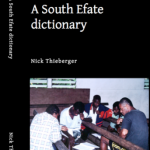
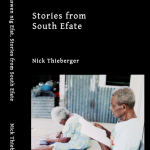
I’ll be going to Vanuatu next month courtesy of Catriona Hyslop’s DoBeS project, to help build an installation of three computer-based interactive dictionaries (Vurës, Tamambo and South Efate) for the Museum there. We will have hyperlinked dictionaries with sound and images where possible. All of this will be HTML-based for low maintenance and to allow new dictionaries to be added to the set over time. This post is aimed at outlining the method used to get these various files into deliverable formats and follows on from an earlier one where I talked about using ITunes to get media back to the village.
A new transcription system
Just over a year ago I wrote a blog post about some of the parameters involved in transcribing media files, and how long it takes to do various sorts of transcription, translation and annotation tasks. In the commentary on my post, the ELAN transcription software tool developed at the Max Planck Institute for Psycholinguistics at … Read more